This is my code:
public void onModuleLoad() {
HorizontalPanel hpanel = new HorizontalPanel();
final Button button = new Button("Click");
button.addClickHandler(new ClickHandler(){
@Override
public void onClick(ClickEvent clickEvent) {
symbolBox.setValue("clicked",true);
}
});
hpanel.add(symbolBox);
hpanel.add(button);
RootPanel.get().add(hpanel);
}
and this is the html:
<body>
<h1>Tutorial</h1>
<div id="tutorial"></div>
<!-- OPTIONAL: include this if you want history support -->
<iframe src="javascript:''" id="__gwt_historyFrame" tabIndex='-1' style="position:absolute;width:0;height:0;border:0"></iframe>
<!-- RECOMMENDED if your web app will not function without JavaScript enabled -->
<noscript>
<div style="width: 22em; position: absolute; left: 50%; margin-left: -11em; color: red; background-color: white; border: 1px solid red; padding: 4px; font-family: sans-serif">
Your web browser must have JavaScript enabled
in order for this application to display correctly.
</div>
</noscript>
</body>
and this is the result:
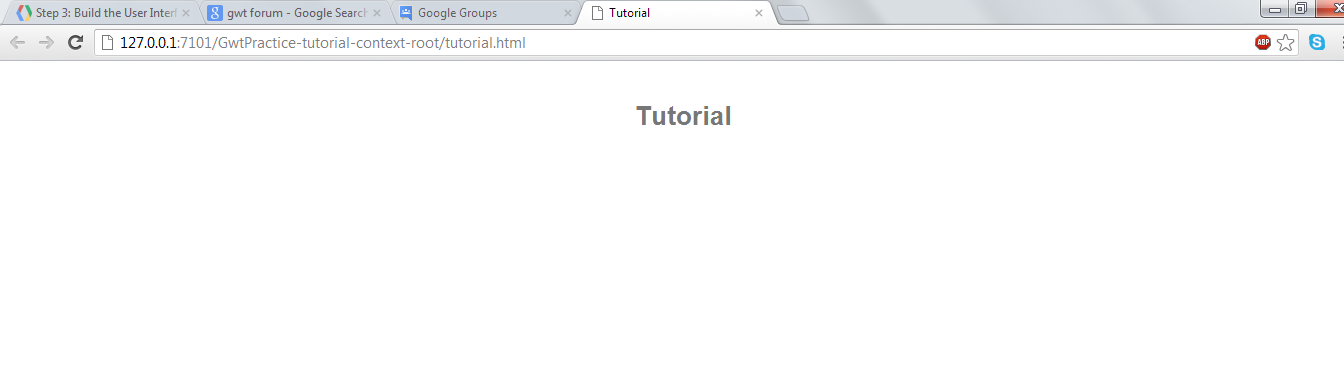
Please help!!
PS: I am using jdeveloper 11.1.2.2 with gwt 2.5 rc
You received this message because you are subscribed to the Google Groups "Google Web Toolkit" group.
To view this discussion on the web visit https://groups.google.com/d/msg/google-web-toolkit/-/89rmHztb03YJ.
To post to this group, send email to google-web-toolkit@googlegroups.com.
To unsubscribe from this group, send email to google-web-toolkit+unsubscribe@googlegroups.com.
For more options, visit this group at http://groups.google.com/group/google-web-toolkit?hl=en.
No comments:
Post a Comment